
/result-endurance
Endurance results
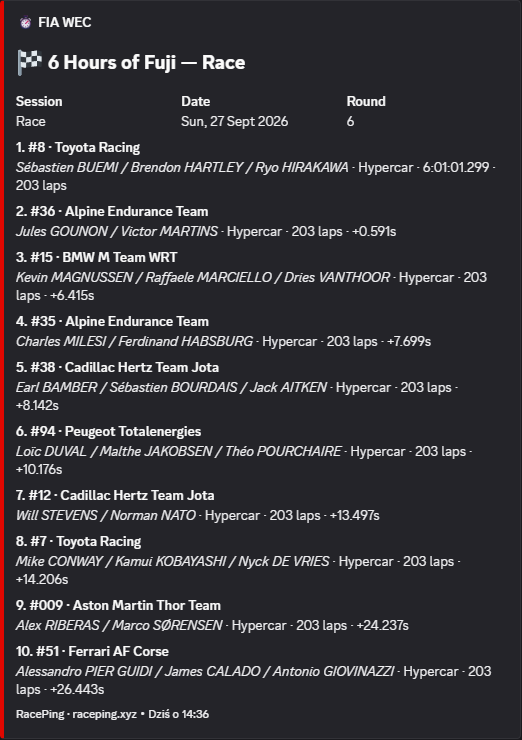
See WEC results with car numbers, drivers and class labels.
RacePing overview
See visual examples of RacePing command replies, including the current calendar, results, standings and weekly session roundup.
Add to ServerRacePing overview
Explore RacePing examples in the current message format. The calendar, results, standings and raceweek cards use current sample data; race schedules and points change during the season.
/result-endurance
See WEC results with car numbers, drivers and class labels.
/standings
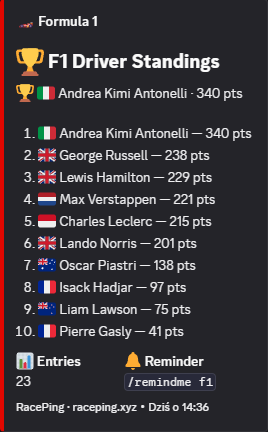
Check points and completed rounds; P1 gets a crown after the season ends.
/result
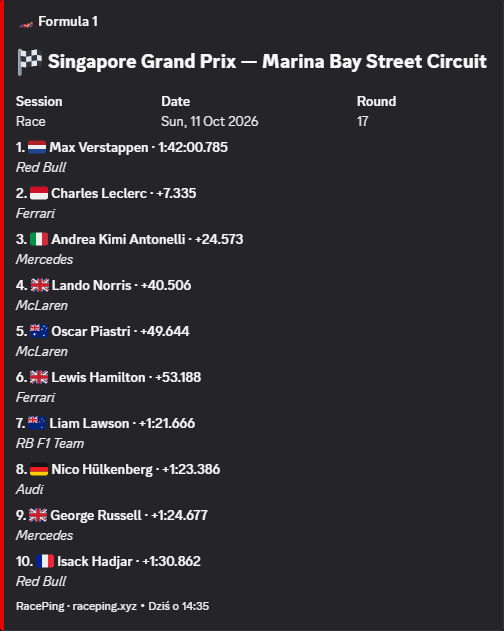
Browse the full classification with pagination and move between related sessions when available.
/last
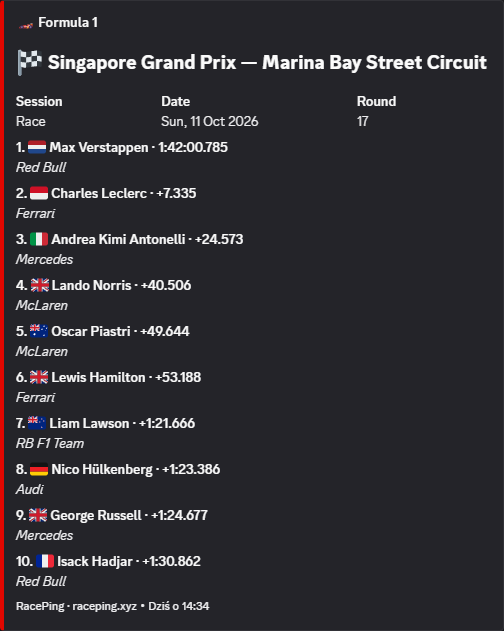
See the latest completed session and browse the classification.
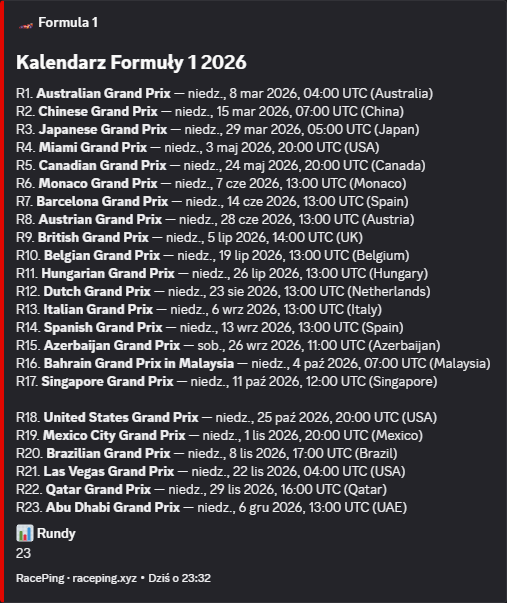
/calendar
View the full current-season calendar, with completed rounds separated from upcoming ones.
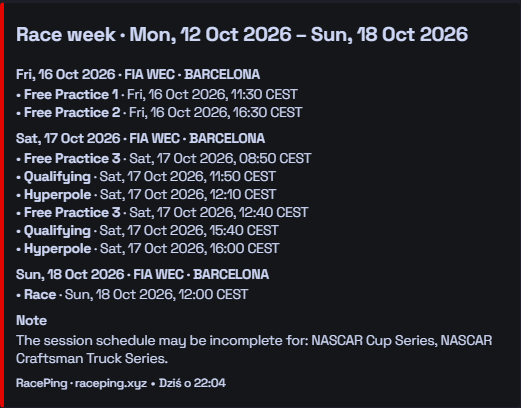
/raceweek
Configure one Monday post for multiple series, all available sessions, an optional role ping and your preferred time.
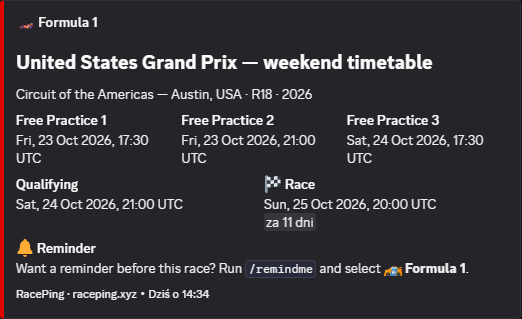
/schedule
Check session times for the upcoming race weekend.
Add RacePing to your server and get your first reminder before the next race.
Add to Server